


Schools Guide
Schools Guide
Web Support
Please email
Updating/Adding Content To Your Feature Page
Inserting content is very simple.
Use your User Menu to edit your content.
Click on 'EDIT YOUR PAGE' and all the available fields and tabs of your feature page will appear on the screen.
• Once you've made your changes click the 'UPDATE' button at the bottom of your feature.
Done!
*NEW* CUSTOM PROFILE COLOUR SCHEMES
If you are a Platinum school you can now choose a colour scheme for your page. There are a large selection of colour schemes available, one of which should suit most schools. Go to your Main Details tab to choose a colour scheme.
If none of the colour schemes suits your needs, the awesome news is, our staff can fully customise it for you! Just
Platinum Subscribers FAQs
Tip: the 'MAIN DETAILS' tab within your profile contains most of the main content fields. You do not have to use all the available fields and tabs. For a fully customised look and feel to your page try adding the bulk of your text to the 'Welcome' field or the 'School Overview' field. Those fields allow you to style the text, add colours, headings and even add extra images.
Inserting Videos > Gallery Images > Image Size Limits >
How to appear in Recently Updated section >
EMAIL FIELDS
There are multiple email fields available under your contact details tab.
Email - this is the most important email field. This email receives every email sent to your school. This email receives, all enrolment enquiries, all subscription notifications and login reminders if you haven't logged in to your account for several months. You can also use this email instead of your username to login to your account. And this is the email where a link will be sent if you use the Forgot my Password option.
Other emails (these are copied (CC'd) in to specifc types of email)
Enquiries Email - use this to have a CC'd copy of enrolment enquiries delivered to another email address
Billing Email - use this to have a CC'd copy of subscription notifications delivered to another email address
Authority email - this can be safely left blank unless you would like an extra copy of enrolment enquiries and subscrption notifications sent to another email address.
WHAT IS THE DIFFERENCE BETWEEN A PORTRAIT IMAGE and an ADVERT BANNER IMAGE?
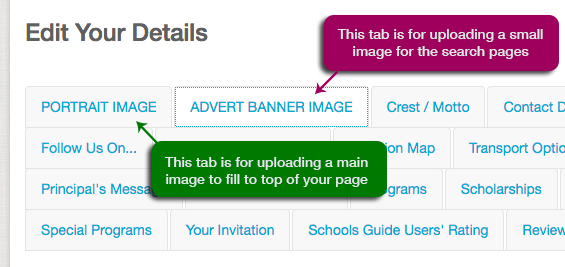
Portrait image is the main image that appears at the top of your page (despite the name 'portrait' your image should be landscape shape rather than portrait shape).
Advert banner image is a small image designed to attract visitors to your page. This image will appear in the lists of schools, on the home page 'recently updated' section (when you update your content) and other areas of the site such as upcoming Events pages.
INSERTING VIDEOS (requires Platinum)
There are several ways to insert a video on your page.
Option 1. Inserting YouTube Videos
The easiest way is to go to the MAIN DETAILS tab and enter its YouTube address in the field marked 'Main School Video'. This section will only work for YouTube videos.
Option 2. Inserting YouTube or Vimeo Videos into your gallery
(see GALLERY IMAGES AND VIDEOS section below for instructions).
Option 3. Embedding YouTube or Vimeo Videos
(For advanced users only. For all others please This email address is being protected from spambots. You need JavaScript enabled to view it. . We'll be happy to insert it for you).
Step 1. Visit your video (on YouTube or Vimeo) first and copy its embed code via the share button on the side of the video.
Step 2. Return to your MAIN DETAILS tab. You'll be pasting code into the 'Welcome' field so you'll need to change its Editor area to the 'Code' area. Just above the Welcome Field toolbar towards the right side you will see 3 tabs marked Editor | Code | Preview. Click on the 'Code' tab to use the code editing area.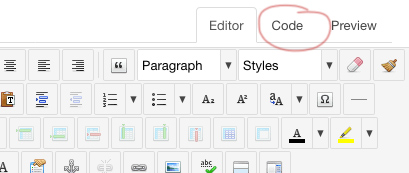
Step 3. Paste the share code you copied in step 1 above into the area available. If you see any other code there that means you already had some other content, maybe text and/or images in that field. Make sure you don't delete any of that code or you may lose that content. Just paste the code on a new line at the end. Note: If you make a mistake or accidentally delete the code and can't get it back don't save anything. Just exit the editing area without saving and come back again after to try again.
Step 4. Once you have pasted the embed code you are ready to save your changes.
Your YouTube or Vimeo video will then be displayed directly within your page in the Welcome area of the Main Details tab.
HOW TO... ADD/EDIT MAIN GALLERY IMAGES & VIDEOS
• Click on 'VIEW YOUR PAGE (gallery images)' in your User Menu. Your feature page will appear on the screen.
• Scroll down to view your Gallery section (in the main body of your page). Then click 'New Image / Video / File/ Link'.
(from here you'll be able to browse your computer for images and submit them to your gallery. You can also insert a link to a YouTube or Vimeo video. Simply insert the YouTube or Vimeo address. Your videos will play directly within your gallery.)
• Make sure you give each a title (and a description if desired)
• Then simply click the 'Upload Photo' button to upload your image
Done!
Tip: your gallery images may need to be resized before you attempt to upload them because there are limitations on the file sizes that can be uploaded.
Total allocation is 28 images/files/videos
Recommended size 600px width @ 72dpi each
Max single image size 300kb each.
If you are unable to resize your images please forward any large photos to
HOW TO DELETE GALLERY IMAGES
Once logged in simply view your page and hover your mouse over an image you would like to delete. You'll notice a small box appears in the top right of the image contaning 3 dots. Hover over the 3 dots to find the delete button.
IMAGE SIZE LIMITS (for Expanded Listing and Platinum subscribers)
It's always best to make your file sizes as small as possible prior to uploading because all your files need to load on the viewer's screen and lots of large files can take a long to time to appear - especially for viewers with a slow connection. It is recommended to set your images to 72dpi for any files appearing on any website because that resolution is all that is required for a website to display a perfectly sharp image. Anything larger that 72dpi will just increase the time it takes to load, with no benefit in quality.
Since the advent of AI it is also increasingly important to ensure high resolution images are not available for scraping and manipulation. By adhering to the following guidelines the threat is minimised because low-res images of smaller dimensions are generally less suitable for malicious manipulation.
These are the ideal sizes for this website...
All image files should be 72 dpi.
If possible your images should be saved at the exact width recommended below prior to uploading...
Note: if your image is not the exact size recommended the system will resize it for you as it uploads but please be aware that this process can often reduce the quality/ sharpness of the image somewhat.
If you are unable to prepare your images as recommened above please feel free to email our friendly staff. They'll be happy to assist.
< back to top
HOW TO... ADD AN EVENT/OPEN DAY: (requires Expanded Listing Plus+ or above)
• Simply click 'Events/Open Days' in your 'User Menu' and then 'Create a New Event'.
• Complete the details and click 'Save'. Easy!
• To edit an event you've already created click - Events/Open days then click Edit Saved Events in your User Menu.
All Events you create will automatically have their own page and will be reachable from 3 different sections of the site - the site-wide events calendars, top right side of your feature page and on the home page (when their date is approaching).
Tip: Use the special 'Location' field to insert the location of your event. The system will automatically add a location map to your event page.
STYLING YOUR CONTENT AND INSERTING EXTRA IMAGES
For Platinum subscribers some fields include a toolbar with assorted icons for editing and styling content. You'll find you can easily change fonts, colours and styles, create your own headings and even insert images in those fields.
For a fully customised look and feel to your text items we recommend placing the bulk of your text items in these fields rather than using the preset 'text-only' fields which don't have the toolbar above.
To insert extra images simply click the 'Insert/Edit Image' icon. It's the last icon (blue rectangle) on the bottom row of each toolbar. Simply upload your image then adjust the parameters to set its size and alignment. Make sure you add a margin. 5 pixels on each side usually works well to ensure your text isn't hard up against the side of the image. Click 'Insert' once you are done.
NEW! SCHOOL NEWS (requires Platinum subscription)
Featured Schools can now post general school news items to the main site pages.
Simply click on OFFER YOUR SCHOOL NEWS in your User Menu. Your news item will appear under the School News section in the Main site menu.
NEW! VIRTUAL TOURS TAB
(tips here are for slightly more advanced users, all others should contact us for help)
If your school has a Virtual Tour you can likely embed it to display on your page using an iFrame. An iFrame is simply a small snippit of code that will display one webpage within another.
To insert the webpage of your Virtual Tour into your Feature you would use this code:
<iframe name="Virtual Tour" src="/ADDRESS_HERE_NO_SPACES" height="600px" frameborder="0" scrolling="yes" style="width: 100%;"></iframe>
Steps...
Step 1. Copy the above code (including the brackets at each end < >).
Step 2. Edit your page and click on the Virtual Tour Tab.
Step 3. We'll be inserting code so you'll need to click on 'Code' which you'll find just above the toolbar.
Step 4. Paste the code into the area available.
Step 5. Insert the webpage address (URL) of your virtual tour where it says
/ADDRESS_HERE_NO_SPACES making sure it is surrounded by inverted commas with no extra spaces. It must be the full address which should start like this: https:// or this http://.
We are aiming for something that looks like this:
<iframe name="Virtual Tour" src="https://www.oursamplecollege.com/virtualtour" height="600px" frameborder="0" scrolling="yes" style="width: 100%;"></iframe>
Save your page and you should be all done.
Check your results via your User Menu - VIEW YOUR PAGE.
NOTES:
If you find it isn't displaying go back and check there are no spaces or extra inverted commas or anything else that might be breaking the code. It needs to be perfect or it may not display.
You might also need to try the address with http and/or https to find which one works. If that fails please contact us for help.
You could also experiment with changing the height from 600px to another number to give the best display results for your page. We recommend somewhere in the range of 400px to 800px.
Please note in some cases VirtualTours may be protected by security features which prevent them from being displayed in an iFrame. If this is the case you will need to contact us for help.
ENROLMENT ENQUIRY EMAILS
Platinum subscribers may at times receive ENROLMENT ENQUIRY emails. These emails are generated by the system when an enquiry is received by this site (or our team) that is highly likely to match the specifics of your school. The goal of these emails is to provide Platinum subscribers with bona fide enrolment referrals.
Our moderators check the validity of each enquiry before the system will forward the message. Only Platinum subscribers receive these bona fide enquiries.
If your school cannot assist you can safely ignore the email. If you can assist you can simply contact the person directly.
The enquiry will always be sent to the main email address on each school's profile. If you've entered multiple emails in your account the system will also CC those other emails. The following 2 fields are CC'd
Authority Email
Enquiries Email
If you wish to make changes to who receives the emails simply edit your profile via your user menu (EDIT YOUR PAGE) and adjust the various email fields under your Contact Details tab.
FACEBOOK FEED
The new Facebook Feed section will automatically display your school's Facebook profile page content feed.
FAQs
Q1. Why is my Facebook feed not working?
Your Facebook must be a public profile and it must not have any viewing restrictions (eg. country or age specific restrictions). If your school has a private Facebook profile it will not feed. The best way to check if you have a public or private Facebook is to sign out of Facebook then try to view your school's Facebook page. If Facebook forces you to sign in to view the page then it isn’t public. Your school would need to change the privacy settings in Facebook to allow the public to view its profile. It may also need to remove any age and location restrictions it may have.
Q2. How do I remove the Facebook section from my page?
You can easily choose to make this tab hidden. Simply EDIT YOUR PAGE and go to the Facebook Feed Tab. Choose 'Private' to completely remove the tab from your page.
Q3. How do I set my Facebook Feed to show my Facebook content?
Go to the tab called 'Follow Us On...". Enter your Facebook username in the Facebook field then click the Update button.
How to Appear in Recently Updated section
The Recently Updated section is exclusive to Platinum Schools. If your school has a Free Listing you will not appear in this section.
You must also have an image to display. If your school has not yet uploaded a Portrait Image or Advert Banner image the system will not be able to display your school in this section.
And most importantly, you must have performed a recent update to the main part of your profile. To do that simply clcik on EDIT YOUR PAGE in your User Menu. Then make an update and click the Update button to save your changes. In most cases you should find you are now instantly appearing at the top of the 'Recently Updated' section.
Please note: The system does not recognoise changes in your image Gallery as a recent update because the Image Gallery is controlled by a separate system. You must click the Update button in your main profile for the system to recognise there has been an update. Please follow the simple instructions above.
General Terms
For the purposes of these terms and conditions the words 'Schools Guide' refers to this website (www.privateschoolsguide.com) and its owner Port Bimbi Pty Ltd.
Schools Guide provides this service for legitimate employers and employees in the education industry only. By accepting these terms and conditions you agree to abide by Schools Guide conditions at all times. Schools Guide does not accept defamatory, derogatory, blasphemous, slanderous, adult-themed, gambling or other innapropriate content.
To the extent permitted by law, Schools Guide will not be liable in any way (including for negligence) for any loss, damage, cost or expense suffered or incurred by you or claims made against you through your use of this Site, the unavailability of this Site or in connection with any products, services or information advertised, offered or supplied through this Site.
This site and its owners make no guarantees applicants will be offered employment through this service. Any job posting is the responsibility of the school or business offering that position. Schools Guide can not, and will not influence employers in any way. Any potential employees having issues with jobs posted should contact the school or company responsible for that posting.
SPECIFIC TERMS OF USE
The use of this Site by Advertisers shall also be governed by the Advertising terms and conditions.
PURPOSE OF SITE
This Site is strictly an advertising venue for the purpose of online publication of advertisements and distribution of information submitted to Schools Guide by Users. We do not become involved in the actual transaction between Employers and Candidates. This Site is designed for Advertisers to post legal and valid employment opportunities and for Candidates to review the posted job ads and contact the Advertiser directly.
COPYRIGHT AND TRADEMARKS
(a) All material on this Site, such as texts, graphics, images, HMTL codes and other material are protected by Australian and international copyright laws and remain the exclusive property of Schools Guide or the advertising School as the case may be. Material may only be downloaded for personal non-commercial use.
(b) All modification, copying, reproduction, displaying, distribution of the Material may only be done for personal use, and, under no circumstances may be for a commercial or public purpose.
PRIVACY POLICY
All personal and confidential information, including but not limited to, resumes, contact information, passwords and login details shall be managed in accordance with the Schools Guide Privacy Policy (available here).
NO GUARANTEES AS TO SERVICE
(a) Schools Guide will endeavour to the best of its ability to maintain this site to the highest professional standards but provides no guarantee that the services provided on this Site will be uninterrupted, error free, or that defects will be corrected and also provides no guarantee that the Site or downloadable material is free from infection or viruses.
(b) Where Schools Guide provides links to external websites maintained by third parties, Schools Guide gives no guarantee or endorsement as to the content or security of those sites or the services provided by such third parties. Schools Guide is not responsible for the copyright compliance of any linked site or third party.
PASSWORD AND LOGIN
Registered users provided with password and login details are responsible for the continued confidentiality of such details. In the event that an unauthorised entity obtains and uses such details, the Registered User shall notify Schools Guide immediately at which point our Schools Guide staff will either reset or remove the account details to protect the system and its users.
USERS' OBLIGATIONS
(a) By using this site you irrevocably undertake to Schools Guide that you will observe and comply with each duty and obligation imposed or undertaken upon you pursuant to this agreement including the following:
i. Users must agree not to use any feature of the Site to send unsolicited emails or communications to any other User, whether individually or as a Group;
ii. All files, documents, communications and other material sent by Users to other Users shall be free of infection, viruses, worms, Trojan horses or other harmful aspects that contain harmful, contaminating, invasive or destructive properties;
iii. Users covenant that they have adequate virus protection systems in place and shall maintain same to prevent the occurrence of any harmful, contaminating, invasive or destructive files from affecting a User's personal computer and files;
iv. Users must not post any form of material (including advertising and communications) on the Site or to other Users that is by its nature, illegal or unlawful, offensive, harmful, incomplete or false;
v. Users must observe and comply with all Applicable Law including without limitation all relevant child protection legislation, crimes legislation, and workplace health and safety legislation applicable in the relevant State and Territory. Where a disclosure is required to be made to an employer by law (eg: child protection legislation), the User must make that disclosure.
(b) Unlawful or illegal use will be reported to the proper authorities and may be punishable by law.
(c) Posting false, incomplete, inaccurate or illegal information is strictly prohibited and may be punishable by law.
9 RESERVATION OF RIGHTS
Schools Guide reserves the right to modify the Site either partially or completely, interrupt the ordinary service of the Site and take all reasonable steps to prevent unlawful activity taking place.
10 NO REPRESENTATIONS
(a) Schools Guide does not investigate, interview or screen Advertisers, Candidates or advertisements posted on the Site and does not represent, warrant, guarantee, or accept responsibility or liability for the truthfulness, form, content, accuracy, currency or reliability of the information or communications posted by Users.
(b) By accepting the Users Agreement, You acknowledge that reliance on any material on this Site will be solely at your own risk.
(c) Schools Guide shall reasonably endeavour to avoid errors in advertisements posted by Advertisers on the Site but does not warrant or guarantee the quality, safety, legality or success of advertisements posted on the Site.
(d) Schools Guide gives no guarantee as to the availability, or continued availability of any particular position that may be advertised on the Site, or the accuracy of any representations or statements contained in any advertisement posted on the Site.
11 INDEMNITY
Users hereby indemnify Schools Guide and will keep Schools Guide indemnified as well as the officers, employees and agents of Schools Guide against all Claims incurred in connection with their use of this Site.
12 RIGHTS TO USE INFORMATION
Schools Guide may at any time reproduce, distribute, transmit, create derivative works of, and publicly display any materials and other information (including ideas for new or improved products and services) that you submit to any public areas of the Site or by email to Schools Guide.
13 MISCELLANEOUS PROVISIONS
(a) If any part of this Agreement is void or invalid that part shall be severed from the Agreement and the remainder of this Agreement shall continue to be in full force and effect.
(b) The rights and obligations of the parties to this Agreement shall continue to be of full force and effect and shall not merge upon the termination or ending of the Agreement.
(c) This Agreement shall be governed in accordance with the laws of the state of Queensland and Users hereby submit to the non-exclusive jurisdiction of the Courts of that state.
14 IMAGE USE
Images on Private Schools Guide are provided for school-directory and informational purposes only. They may not be reproduced, redistributed, scraped, used to train or develop AI models, or manipulated to create synthetic or misleading representations of individuals under any circumstances without prior written permission.
School Profile Pages - Features List
The following features list outlines the various options for schools.
|
FOR SCHOOLS |
FREE LISTING |
PLATINUM
|
|
|
||
|
$0 per year |
$891 to $990 per year |
|
|
|
||
| Basic details allowed only |
Upgrade to top position in your school's region, unlimited Open Days and Events promotion, fully-customised Feature Page with large header image, website links, space for up to 28 gallery images and/or YouTube videos, social links, free home page promotion plus lots more... |
|
FEATURES LIST IN DETAIL |
||
| LISTING POSITION | ||
| POSITION IN LISTS OF SCHOOLS | Bottom Level alphabetical |
Top Level Position |
| INCLUSIONS | ||
| LOGIN / UPDATE |  |
|
| ADDRESS | |
|
| TELEPHONE | |
|
| PRINCIPAL | |
|
| RELIGION | |
|
| FEES | |
|
| YEAR LEVELS | |
|
| GENDER | |
|
| BOARDING (YES/NO) | |
|
| CRICOS | |
|
| GOOGLE MAP | |
|
| OTHER CAMPUS ADDRESS | |
|
| LANGUAGE SUBJECTS | |
|
| REPRESENTATIVE SPORTS | |
|
| STRONG FOCUS ON... | |
|
| WEBSITE LINK | |
|
| SYNOPSIS | |
|
| ENQUIRIES FORM | ||
| ENQUIRIES FORM | |
|
| SCHOOL CREST | ||
| SCHOOL CREST | |
|
| SCHOOL MOTTO | |
|
| STANDARD IMAGES | ||
| LARGE PORTRAIT IMAGE | |
|
| SMALL BANNER ADVERT IMAGE | |
|
| BODY CONTENT IMAGES | |
|
| CUSTOMISABLE TEXT CONTENT (EDITOR TOOLBAR) | ||
| WELCOME | |
|
| OVERVIEW | |
|
| TAB SPECIFIC TEXT FIELDS | |
|
| STANDARD TEXT FIELDS | ||
| OVERVIEW (150 WORDS LIMIT) | ||
| FACILITIES FIELD | |
|
| CURRICULUM FIELD | |
|
| EXTRAS FIELD | |
|
| HIGHLIGHTS | |
|
| IMAGE GALLERY (UP TO 28 IMAGES/ YOUTUBE VIDEOS) | ||
| GALLERY IMAGES/VIDEOS | |
|
| REVIEWS / PARENT TESTIMONIALS | ||
| Up to 6 | |
|
| LATEST NEWS ALERT BUTTON | ||
| LATEST NEWS ALERT | |
|
| EXTRA CONTENT TABS | ||
| ADVANCED TOOLBAR FEATURE | |
|
| ABOUT US | |
|
| TEST RESULTS | |
|
| PAST STUDENT PROFILES | |
|
| TRANSPORT OPTIONS | |
|
| FEATURE STORY | |
|
| YOUR INVITATION | |
|
| TESTIMONIALS | |
|
| PRINCIPAL'S MESSAGE | |
|
| SCHOLARSHIPS | |
|
| PROGRAMS | |
|
| VIRTUAL TOUR | |
|
| SOCIAL BUTTONS / LINKS | ||
|
||
|
||
| YOUTUBE | |
|
|
||
| VIMEO | |
|
|
||
| SOCIAL MEDIA PROMOTION - FACEBOOK + INSTAGRAM |
||
| EVENTS PROMOTION (Automatic) | |
|
| EVENTS PROMOTION (Periodic manual promotion by SG staff upon request) |
|
|
| HELP DESK REFERRALS | ||
| Bona-fide enrolment enquiry referrals from Help Desk and Live Chat systems identifying specific schools that match specific enrolment enquiries | |
|
| BONUS SITE ADVERTISING / FEATURES |
||
| Recently Updated - Home Page banner advert (simply make an update to your page to appear on home page) |
|
|
| Open Days - Home Page banner advert (appears on home page and calendar pages as the date approaches) |
|
|
| General Events - Home Page banner advert (appears on home page and calendar pages as the date approaches) |
|
|
| Scholarships - Home Page (appears on home page and calendar pages as the date approaches) |
|
|
| Vacancies - Home Page (appears on home page and calendar pages) |
|
|
| Profile Page Popup Content (content jumping out in front of your page created with assistance of PSG Staff) |
|
|
| SCHOOL FINDER MAPS | ||
 |
|
|
 with extra info and image popup bubble |
|
|
| EVENTS CALENDAR | ||
|
Events Calendar allows schools to easily insert a full page of content about any upcoming event. Typical events include Open Days, School Tours, Scholarship Days, Carnivals and other school events. Vacancies can also be presented as an upcoming Event page. Each event has its own full page of content and includes unlimited text content. Schools can also upload a school crest, an image and a standard file for visitors to download such as a brochure or booking form (Word doc. or .pfd file). Once your Event page has been saved it will automatically appear on any relevent Calendars throughout the site (Open Days Calendar, General Events Calendar, Vacancies Calendar and Scholarships Calendar). It will also appear on the Schools Guide home page Upcoming Events sections when the event is nearing. |
||
| FREE LISTING | PLATINUM FEATURE | |
| CREATE EVENTS PAGES | |
|
| AUTOMATICALLY DISPLAYED ON SITE EVENTS CALENDARS | |
|
| LINKED ON YOUR PAGE | |
|
| HOME PAGE PROMOTION | |
|


School Holiday Dates for Private Schools.
Private/non-government school holidays often vary from state/government school holidays.
There is no definitive set of school holiday dates that applies to every private school.
Please check with each individual school for accurate dates.
Official Government School Term Dates/School holiday dates...
NEW SOUTH WALES 2026
Private schools choose their own term dates. Many private schools have different term dates from the official government dates listed below. Please check with each individual school for its term dates.
Source: https://www.nsw.gov.au/about-nsw/school-holidays
Term 1 (Eastern Division): 27 Jan – 2 Apr 2026
Autumn holidays: 3 Apr – 19 Apr
Term 2:
Winter holidays: 4 Jul – 19 Jul
Term 3:
Spring holidays: 26 Sep – 11 Oct
Term 4:
Summer holidays:
VICTORIA 2026
Private schools choose their own term dates. Many private schools have different term dates from the official government dates listed below. Please check with each individual school for its term dates.
Source: https://www.vic.gov.au/school-term-dates-and-holidays-victoria
Term 1 (Staff): 27 Jan – 2 Apr;
Autumn holidays: 3 Apr – 19 Apr
Term 2: 20 Apr – 26 Jun
Winter holidays: 27 Jun – 12 Jul
Term 3: 13 Jul – 18 Sep
Spring holidays: 19 Sep – 4 Oct
Term 4: 5 Oct – 18 Dec
Summer holidays: 19 Dec 2026 – 26 Jan 2027
QUEENSLAND 2026
Private schools choose their own term dates. Many private schools have different term dates from the official government dates listed below. Please check with each individual school for its term dates.
Source: https://education.qld.gov.au/about-us/calendar/term-dates
Term 1: 27 Jan – 2 Apr
Autumn holidays: 3 Apr – 19 Apr
Term 2: 20 Apr – 26 Jun
Winter holidays: 27 Jun – 12 Jul
Term 3: 13 Jul – 18 Sep
Spring holidays: 19 Sep – 5 Oct
Term 4: 6 Oct – 11 Dec
Summer holidays: 12 Dec 2026 – 26 Jan 2027
WESTERN AUSTRALIA 2026
Private schools choose their own term dates. Many private schools have different term dates from the official government dates listed below. Please check with each individual school for its term dates.
Source: https://www.education.wa.edu.au/future-term-dates
Term 1: 2 Feb – 2 Apr
Autumn holidays: 3 Apr – 19 Apr
Term 2: 20 Apr – 3 Jul
Winter holidays: 4 Jul – 19 Jul
Term 3: 20 Jul – 25 Sep
Spring holidays: 26 Sep – 11 Oct
Term 4: 12 Oct – 17 Dec
Summer holidays: 18 Dec 2026 – 31 Jan 2027
SOUTH AUSTRALIA 2026
Private schools choose their own term dates. Many private schools have different term dates from the official government dates listed below. Please check with each individual school for its term dates.
Source: https://www.education.sa.gov.au/students/term-dates-south-australian-state-schools
Term 1: 27 Jan – 10 Apr
Autumn holidays: 11 Apr – 26 Apr
Term 2: 27 Apr – 3 Jul
Winter holidays: 4 Jul – 19 Jul
Term 3: 20 Jul – 25 Sep
Spring holidays: 26 Sep – 11 Oct
Term 4: 12 Oct – 11 Dec
Summer holidays: 12 Dec 2026 – 26 Jan 2027
NORTHERN TERRITORY 2026
Private schools choose their own term dates. Many private schools have different term dates from the official government dates listed below. Please check with each individual school for its term dates.
Source: https://nt.gov.au/learning/primary-and-secondary-students/school-term-dates-in-nt
Term 1: 28 Jan – 2 Apr
Autumn holidays: 3 Apr – 12 Apr
Term 2: 13 Apr – 19 Jun
Winter holidays: 20 Jun – 13 Jul
Term 3: 14 Jul – 18 Sep
Spring holidays: 19 Sep – 4 Oct
Term 4: 5 Oct – 11 Dec
Summer holidays: 12 Dec 2026 – 26 Jan 2027
AUSTRALIAN CAPITAL TERRITORY 2026
Private schools choose their own term dates. Many private schools have different term dates from the official government dates listed below. Please check with each individual school for its term dates.
Source: https://www.act.gov.au/living-in-the-act/public-holidays-school-terms-and-daylight-savingNew students start: 30 Jan; Returning students: 2 Feb
Term 1 ends: 2 Apr
Autumn holidays: 3 Apr – 19 Apr
Term 2: 20 Apr (teacher student-free) / 21 Apr – 3 Jul
Winter holidays: 4 Jul – 19 Jul
Term 3: 20 Jul (teacher student-free) / 21 Jul – 25 Sep
Spring holidays: 26 Sep – 11 Oct
Term 4: 13 Oct – 18 Dec
Summer holidays: 19 Dec 2026 – 1 Feb 2027
TASMANIA 2026
Private schools choose their own term dates. Many private schools have different term dates from the official government dates listed below. Please check with each individual school for its term dates.
Source: https://www.decyp.tas.gov.au/learning/term-dates/
Term 1: 5 Feb – 17 Apr
Autumn holidays: 18 Apr – 3 May
Term 2: 4 May – 10 Jul
Winter holidays: 11 Jul – 26 Jul
Term 3: 27 Jul – 2 Oct
Spring holidays: 3 Oct – 18 Oct
Term 4: 19 Oct – 18 Dec
NEW SOUTH WALES 2027
Private schools choose their own term dates. Many private schools have different term dates from the official government dates listed below. Please check with each individual school for its term dates.
Source: https://www.nsw.gov.au/about-nsw/school-holidays
Term 1 (Eastern Division): 28 Jan – 9 Apr 2027
Term 1 (Western Division): 4 Feb – 9 Apr 2027
Autumn holidays: 12 Apr – 23 Apr
Term 2:
27 Apr – 2 Jul
Winter holidays: 5 Jul – 16 Jul
Term 3:
19 Jul – 24 Sep
Spring holidays: 27 Sep – 8 Oct
Term 4:
11 Oct – 20 Dec
Summer holidays:
(Eastern): 21 Dec 2027 – 28 Jan 2028
(Western): 21 Dec 2027 – 4 Feb 2028
VICTORIA 2027
Private schools choose their own term dates. Many private schools have different term dates from the official government dates listed below. Please check with each individual school for its term dates.
Source: https://www.vic.gov.au/school-term-dates-and-holidays-victoria
Term 1 (Staff): 27 Jan – 25 Mar
Students begin: 28 Jan
Autumn holidays: 26 Mar – 11 Apr
Term 2:
12 Apr – 25 Jun
Winter holidays: 26 Jun – 11 Jul
Term 3:
12 Jul – 17 Sep
Spring holidays: 18 Sep – 3 Oct
Term 4:
4 Oct – 17 Dec
Summer holidays: 18 Dec 2027 – 26 Jan 2028
QUEENSLAND 2027
Private schools choose their own term dates. Many private schools have different term dates from the official government dates listed below. Please check with each individual school for its term dates.
https://education.qld.gov.au/about-us/calendar/future-dates
Term 1:
27 Jan – 25 Mar
Autumn holidays: 26 Mar – 11 Apr
Term 2:
12 Apr – 25 Jun
Winter holidays: 26 Jun – 11 Jul
Term 3:
12 Jul – 17 Sep
Spring holidays: 18 Sep – 4 Oct
Term 4:
5 Oct – 10 Dec
Summer holidays: 11 Dec 2027 – 23 Jan 2028
WESTERN AUSTRALIA 2027
Private schools choose their own term dates. Many private schools have different term dates from the official government dates listed below. Please check with each individual school for its term dates.
Source: https://www.education.wa.edu.au/future-term-dates
Term 1:
1 Feb – 9 Apr
Autumn holidays: 10 Apr – 25 Apr
Term 2:
26 Apr – 2 Jul
Winter holidays: 3 Jul – 18 Jul
Term 3:
19 Jul – 24 Sep
Spring holidays: 25 Sep – 10 Oct
Term 4:
11 Oct – 16 Dec
Summer holidays: 17 Dec 2027 – 30 Jan 2028
SOUTH AUSTRALIA 2027
Private schools choose their own term dates. Many private schools have different term dates from the official government dates listed below. Please check with each individual school for its term dates.
Source: https://www.education.sa.gov.au/students/term-dates-south-australian-state-schools
Term 1:
27 Jan – 9 Apr
Autumn holidays: 10 Apr – 25 Apr
Term 2:
26 Apr – 2 Jul
Winter holidays: 3 Jul – 18 Jul
Term 3:
19 Jul – 24 Sep
Spring holidays: 25 Sep – 10 Oct
Term 4:
11 Oct – 10 Dec
Summer holidays: 11 Dec 2027 – 30 Jan 2028
TASMANIA 2027
Private schools choose their own term dates. Many private schools have different term dates from the official government dates listed below. Please check with each individual school for its term dates.
Source: https://www.decyp.tas.gov.au/learning/term-dates/
Term 1:
4 Feb – 9 Apr
Autumn holidays: 10 Apr – 25 Apr
Term 2:
26 Apr – 2 Jul
Winter holidays: 3 Jul – 18 Jul
Term 3:
19 Jul – 24 Sep
Spring holidays: 25 Sep – 10 Oct
Term 4:
11 Oct – 16 Dec
Summer holidays: 17 Dec 2027 – TBC
AUSTRALIAN CAPITAL TERRITORY 2027
Private schools choose their own term dates. Many private schools have different term dates from the official government dates listed below. Please check with each individual school for its term dates.
Source: https://www.act.gov.au/living-in-the-act/public-holidays-school-terms-and-daylight-savingTerm 1:
1 Feb – 9 Apr
Autumn holidays: 10 Apr – 25 Apr
Term 2:
26 Apr – 2 Jul
Winter holidays: 3 Jul – 18 Jul
Term 3:
19 Jul – 24 Sep
Spring holidays: 25 Sep – 10 Oct
Term 4:
11 Oct – 17 Dec
Summer holidays: 18 Dec 2027 – 30 Jan 2028
NORTHERN TERRITORY 2027
Private schools choose their own term dates. Many private schools have different term dates from the official government dates listed below. Please check with each individual school for its term dates.
Source: https://nt.gov.au/learning/primary-and-secondary-students/school-term-dates-in-nt
Term 1:
27 Jan – 2 Apr
Autumn holidays: 3 Apr – 12 Apr
Term 2:
13 Apr – 18 Jun
Winter holidays: 19 Jun – 12 Jul
Term 3:
13 Jul – 17 Sep
Spring holidays: 18 Sep – 4 Oct
Term 4:
5 Oct – 9 Dec
Summer holidays: 10 Dec 2027 – 24 Jan 2028
Welcome to your report card for 2026.
| Our Lady of The Rosary School FREE TRIAL Report Card | |
| SUBSCRIPTION |
PLATINUM WEB FEATURE - 14 day free trial |
 |
 |
| DIGITAL PERFORMANCE | Report Period 27 July 2026 - 10 August 2026 |
| PROFILE PAGE VISITORS | At least 64 humans viewed your profile. |
| CLICKS TO www.olrkenmore.qld.edu.au | 24 |
| Event clicks(tours etc.) | 1 events added (18 + clicks on event) |
| Social Media posts for school by PSG | 2 Posts (Facebook + Instagram) |
| SITE VISIBILITY(how often you appeared on key pages) | |
| Listing impressions (Brisbane West) | 4,200 |
| Listing impressions (Co-Ed Schools) | 6,440 |
| Listing impressions (all pages total) |
8,000+ (approx.)
|
| YOUR LOGIN HISTORY | |
| Last time school logged in | 29/07/2026 |
| Events added by school staff | 1 |
| The SCHOOLSguide magazine - N/A | |
| Printed edition | 26,500 free copies delivered throughout Brisbane and surrounds |
| Digital version | 132,440 online views of the magazine |
| View Your Profile Page | |
Welcome to your report card for 2026.
| MARYMOUNT COLLEGE Report Card | |
| SUBSCRIPTION | HALF PAGE + HALF PAGE PROFILE + PLATINUM WEB FEATURE + SOCIAL |
 |
 |
| DIGITAL PERFORMANCE | Report Period August 2025 - July 2026 |
| PROFILE PAGE VISITORS | At least 2116 humans viewed your profile. |
| CLICKS TO www.marymount.qld.edu.au | 192 |
| Event clicks(tours etc.) | 4 events added (640+ clicks) |
| Social Media posts for school by PSG | 8 Posts (Facebook + Instagram) |
| SITE VISIBILITY(how often you appeared on key pages) | |
| Listing impressions (Gold Coast) | 24,200 |
| Listing impressions (Co-Ed Schools) | 16,440 |
| Listing impressions (all pages total) |
80,000+ (approx.)
|
| YOUR LOGIN HISTORY | |
| Last time school logged in | 17/07/2026 |
| Last time content updated | 26/03/2026 |
| The SCHOOLSguide magazine | |
| Printed edition | 6,500 free copies delivered throughout Gold Coast and surrounds |
| Digital version | 102,440 online views of the magazine |
| View Your Profile Page | |
Welcome to your report card for 2026.
| DBB Report Card | |
| SUBSCRIPTION |
5 x FULL PAGE (digital +print) + 37 PLATINUM WEB FEATURES |
 |
 |
| DIGITAL PERFORMANCE | Report Date July 2026 |
| PROFILE PAGE VISITORS AVERAGE per school/per year | On average at least 1800 humans viewed each school's profile each year. |
| TOTAL CLICKS TO DBB SCHOOLS WEBSITES for 12 months | 7060 |
| COMBINED TOTAL PAGE VISITORS FOR DBB SCHOOL PROFILES | 663,880 |
| NUMBER OF DBB SCHOOLS WHO HAVE LOGGED IN SINCE 2025 | 6 |
| SITE VISIBILITY(how often your schools appeared on key pages) | |
| Listing impressions - 12 months (Sydney North) | 234,200 |
| Listing impressions - 12 months (Central Coast) | 116,440 |
| Listing impressions (all pages total) |
480,000+ (approx.)
|
| YOUR COST BREAKDOWN | |
| PLATINUM WEB FEATURE (37) - cost per school | $100 (normally $400 for Primary Schools) |
| MAGAZINE CONTENT - 5 x Full Page (print + digital) | $860/page (normally $2000/page) |
| TOTAL DBB INVESTMENT $8000 - VALUE $24,800 | |
| The SCHOOLSguide magazine | |
| Printed edition | 26,500 free copies delivered throughout Sydney and Central Coast to over 300 child care providers |
| Digital version | 132,440 online views of the magazine |
| View Your Profile Page | |
Magazine advertising
Contact us for a complete SCHOOLSguide media kit with package options
Which editions are available?
2026 e-books
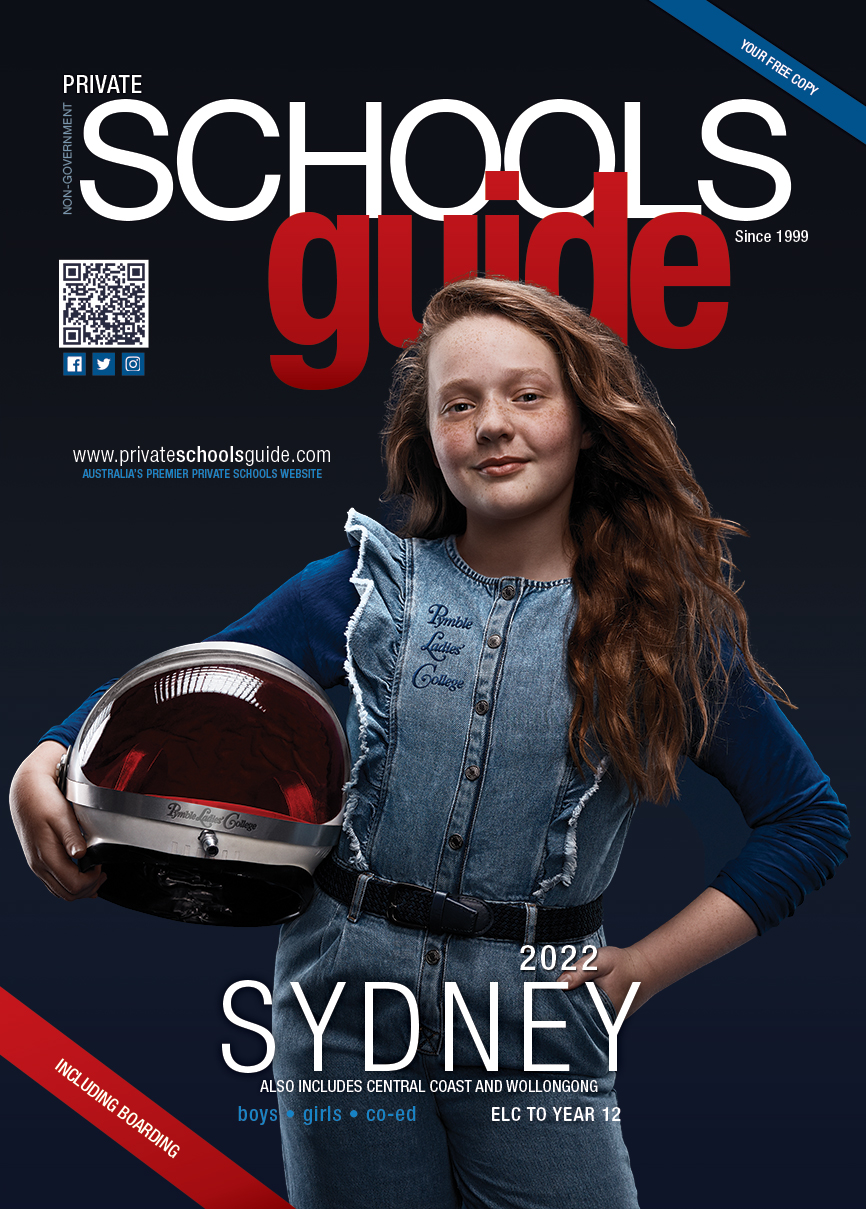
Sydney Edition 2026 - Out Now
Queensland Edition 2026 - Out Now
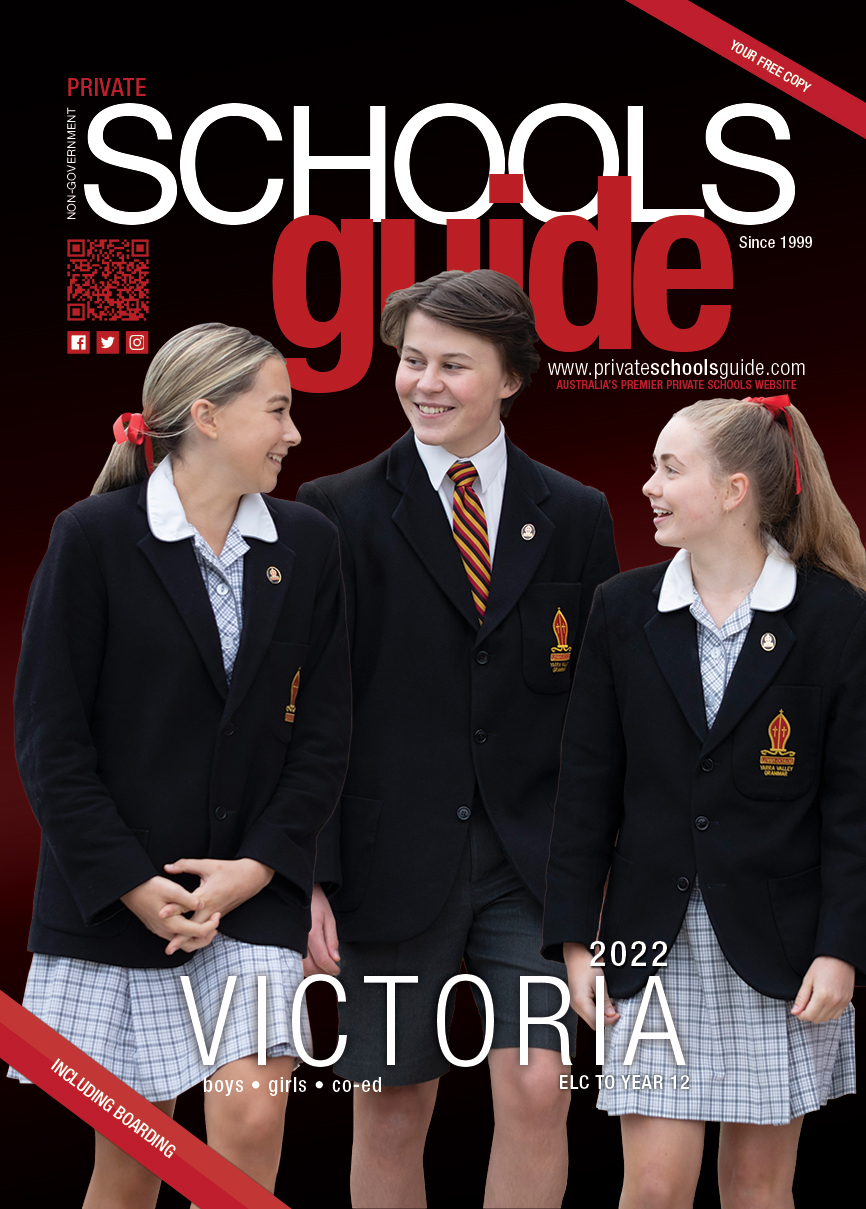
Victoria Edition 2026 - Out Now
Perth Edition 2025 - Out Now
Print Editions
Perth Edition 2025 - Out Now
Sydney Edition 2026 - Out Now
Queensland Edition 2026 - Out Now
Victoria Edition 2026-2027 - Coming Soon
Current magazine opportunities
• Sydney Edition - advertising space OPEN for 2027 edition (early booking discounts currently available)
• Queensland Edition - advertising space OPEN for 2027 edition (early booking discounts currently available)
• Victoria Edition - advertising space CLOSED for 2026 edition (early booking discounts currently available for next year)
• NEW - Perth Edition - advertising space OPEN for 2027 edition (early booking discounts currently available)
Selection of Historical Covers



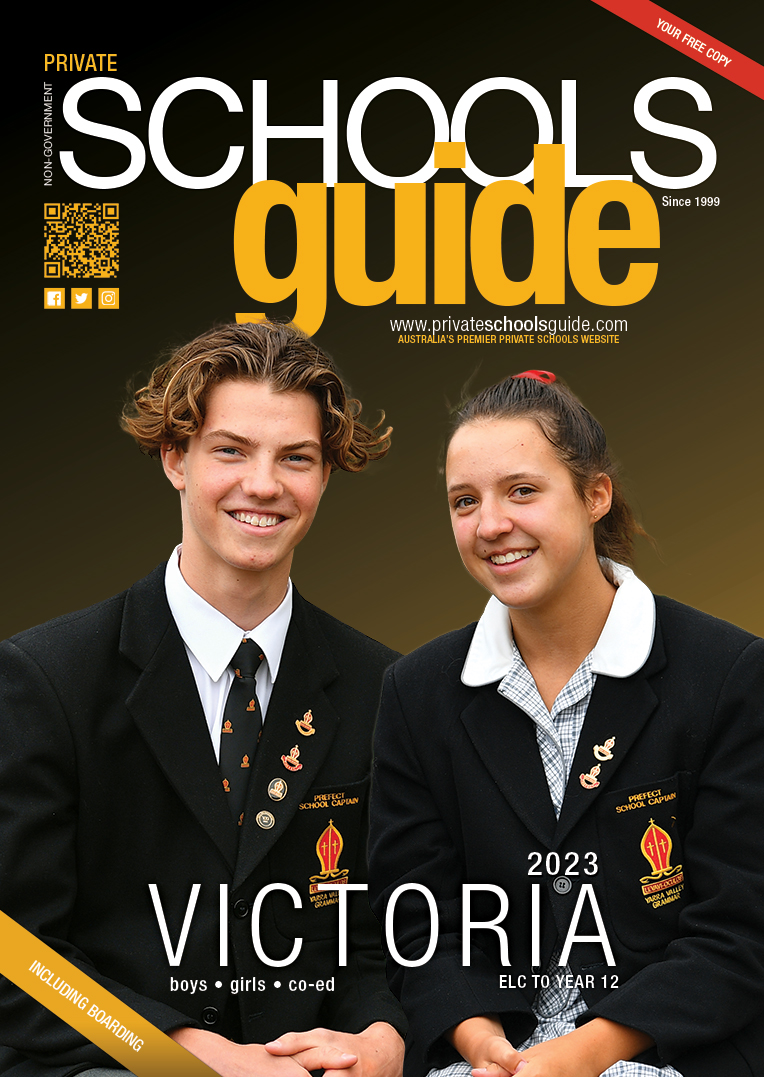



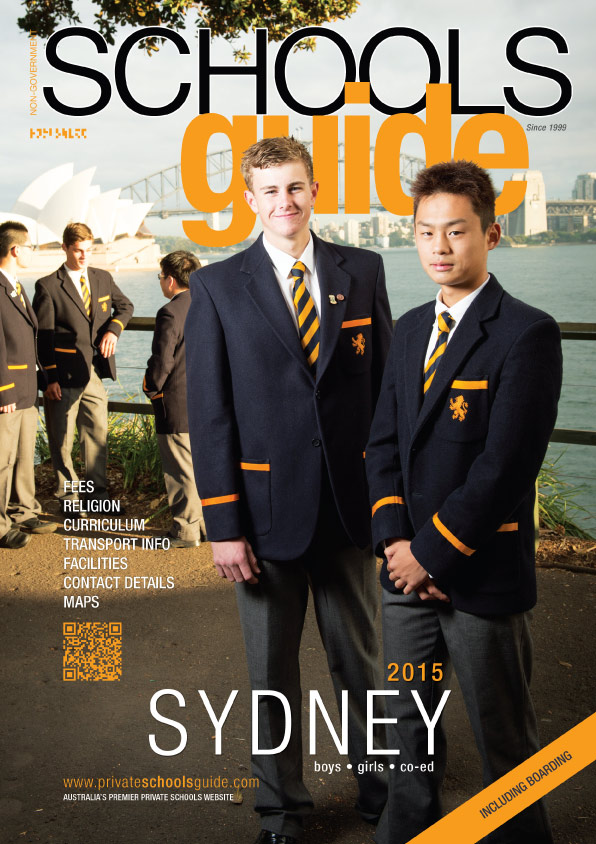
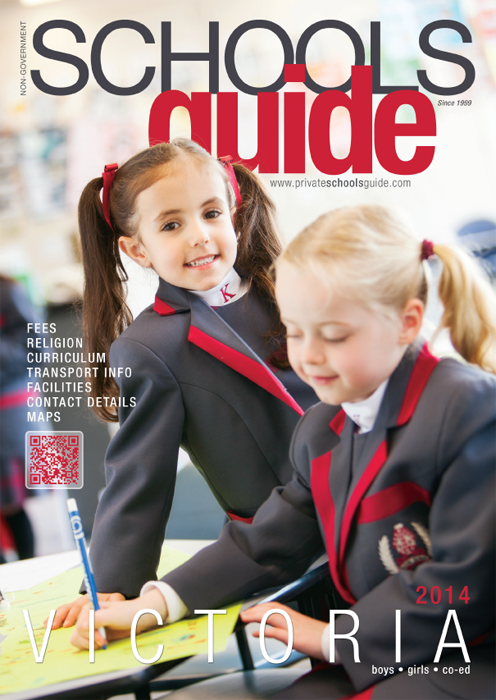
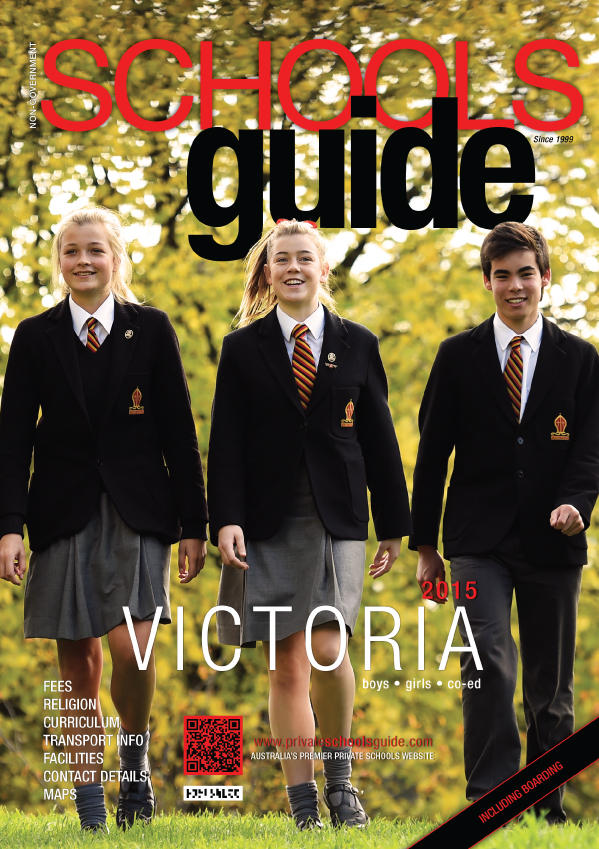

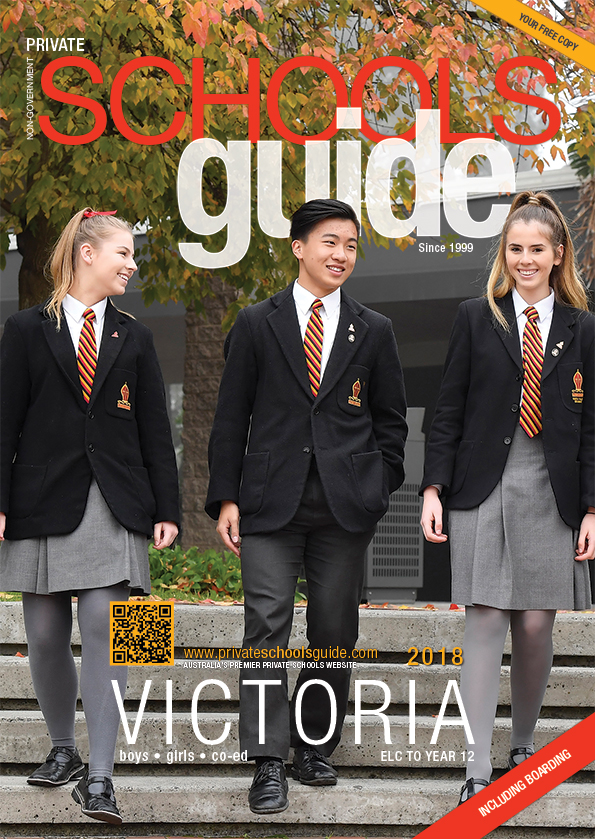
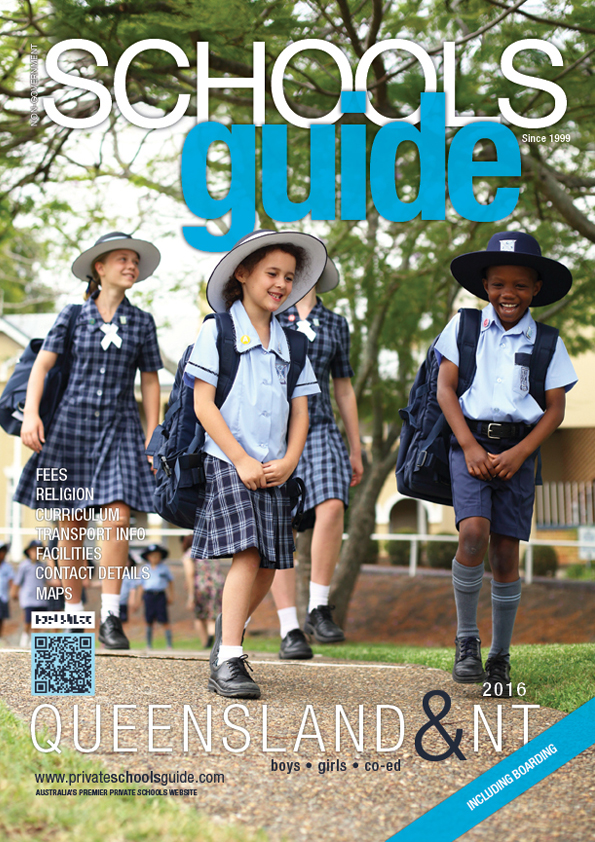
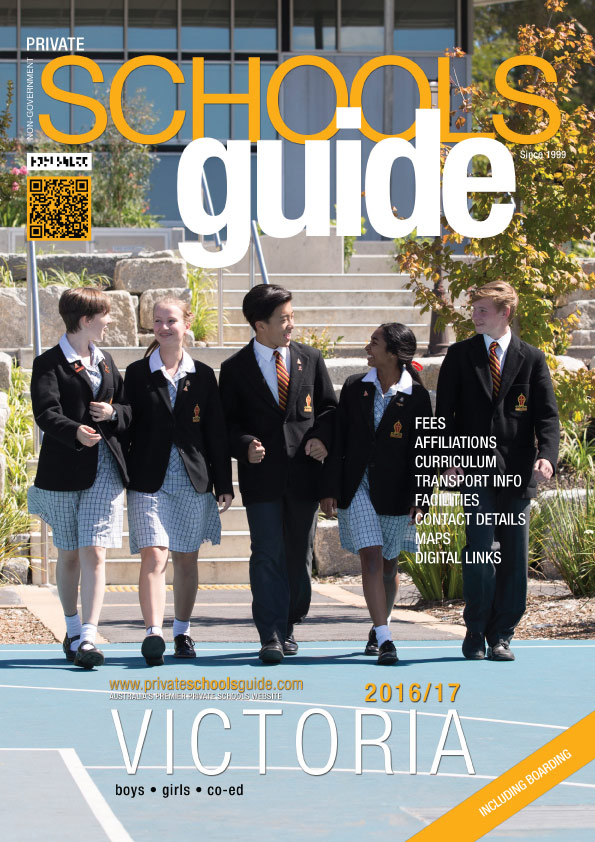

2026 Edition
2025 Edition
Welcome to your report card for 2026.
| JOHN COLET SCHOOL Report Card | |
| SUBSCRIPTION |
FULL PAGE + FULL PAGE PROFILE + PLATINUM WEB FEATURE |
 |
 |
| DIGITAL PERFORMANCE | Report Period May 2025 - May 2026 |
| PROFILE PAGE VISITORS | At least 2116 humans viewed your profile. |
| CLICKS TO www.johncolet.nsw.edu.au | 146 |
| OPEN DAY event clicks | 2 events added (640+ clicks) |
| Social Media posts for school by PSG | 8 Posts (Facebook + Instagram) |
| SITE VISIBILITY(how often you appeared on key pages) | |
| Listing impressions (Sydney North) | 34,200 |
| Listing impressions (Co-Ed Schools) | 46,440 |
| Listing impressions (all pages total) |
80,000+ (approx.)
|
| YOUR LOGIN HISTORY | |
| Last time school logged in | 22/02/2024 |
| The SCHOOLSguide magazine | |
| Printed edition | 26,500 free copies delivered throughout Sydney and surrounds |
| Digital version | 132,440 online views of the magazine |
| View Your Profile Page | |
